 SiteView help
| SiteView help
|
Refer to Download logger for step-by-step
instructions on how to download a logger. If Append Data to System Datrabase is
selected: If Download Data to SiteView File is selected: Filename: Time Span: Buttons: 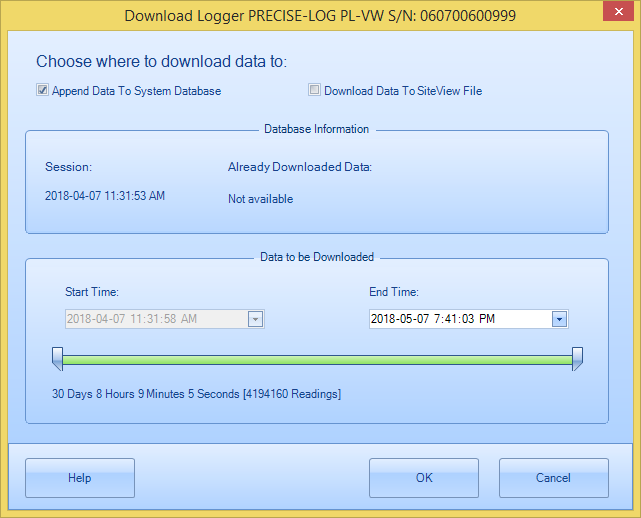
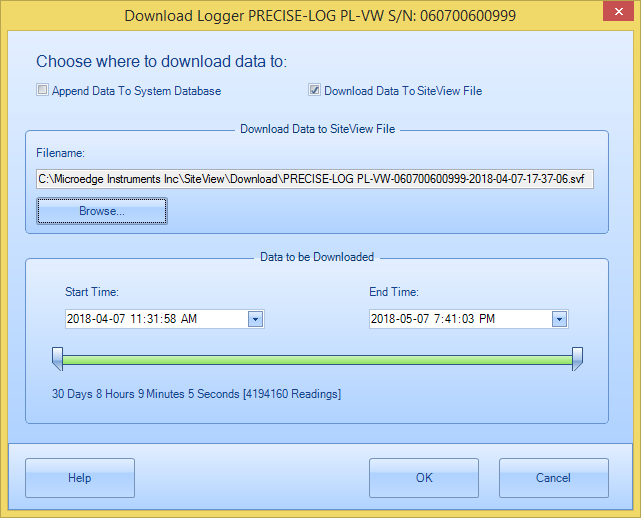
The file name to save
the data.
Click to browse for a file name.
Specify the start time and end time of
interest.
Click or edit the
text box for the start time.
Click or edit the text
box for the end time.
Scroll
the bar for a specific start time.
Click to close the dialog and start downloading
data.
Click to close the dialog without starting
downloading data.
Click to display help file for
downloading.