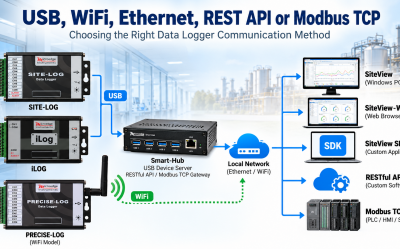
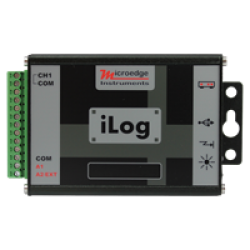
Modern data loggers can communicate through USB, WiFi, Ethernet, RESTful Web API, and Modbus TCP. These methods serve different purposes, so the best choice depends on how the logger will be used.A simple way to decide is to ask:Is the logger used locally or remotely?Does a person, custom application, or industrial control system need the data?Do you need historical recorded data, real-time readings, or both? USB: Simple Local Connection USB is the simplest option when the data logger is located near a Windows PC.Typical connection:Data Logger → USB → SiteViewUSB is well suited for:Logger configurationData downloadReal-time monitoringLaboratory testingShort-term experimentsFor many standalone logging applications, USB is all that is required. Smart-Hub: Put USB Data Loggers on the Network A USB data logger can also be accessed remotely by connecting it to a Microedge Smart-Hub.Typical architecture:USB Data Logger → Smart-Hub → Ethernet NetworkSmart-Hub provides three main functions:USB Device ServerRESTful Web APIModbus TCP GatewayThrough its USB Device Server function, supported loggers can be accessed by:SiteViewSiteView-Web / PlutoSiteView SDKThis allows existing USB-based S...