
MENU
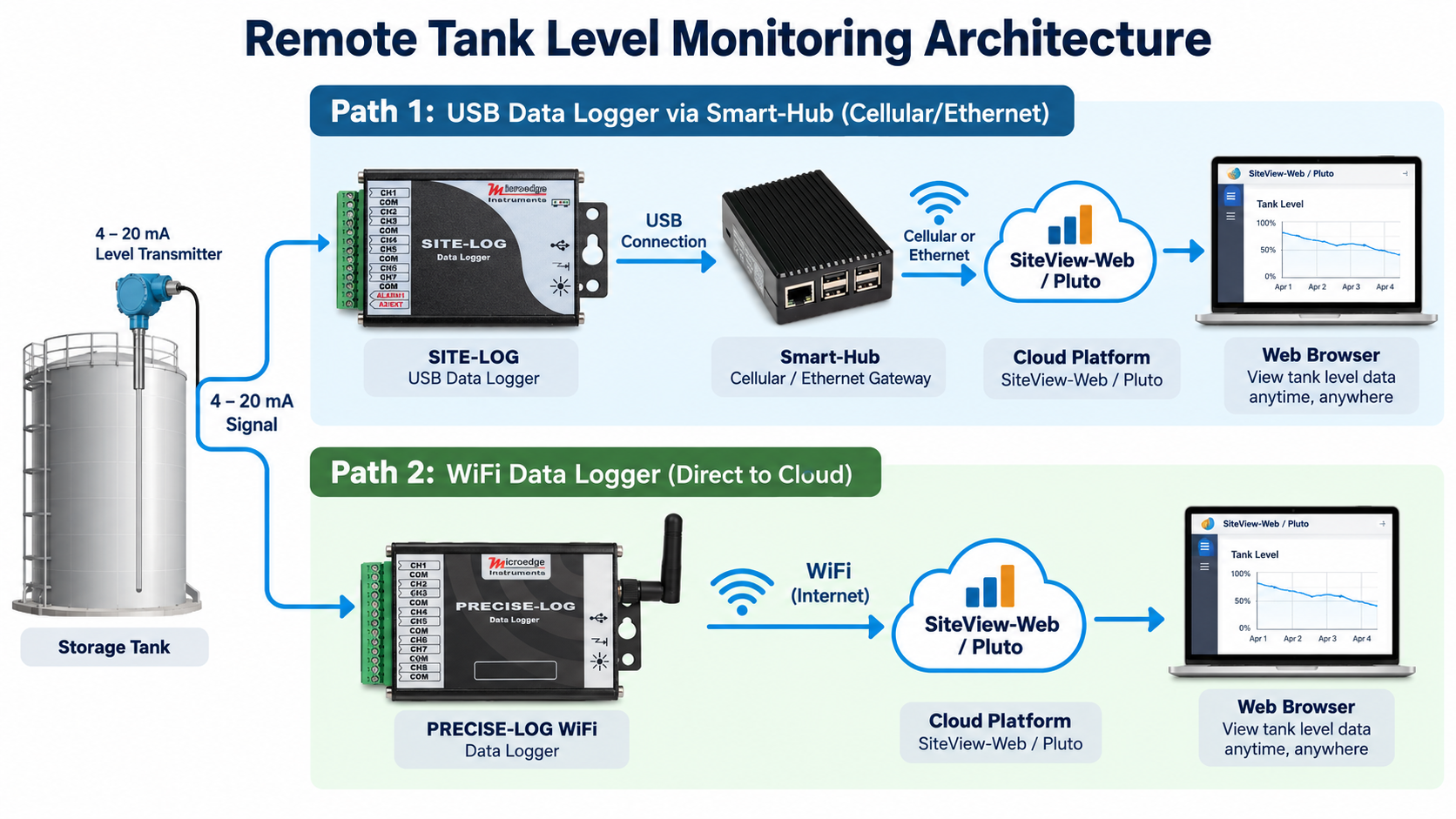
Tank level is commonly measured with pressure, hydrostatic, ultrasonic, or other level transmitters that provide a 4–20 mA output. By connecting the transmitter to a Microedge current-input data logger, the level can be recorded continuously, converted into engineering units, and monitored locally or remotely.
This Application Note shows a typical system for monitoring tank level using a 4–20 mA transmitter.
Consider a storage tank where the liquid level must be monitored continuously.
Instead of checking the tank manually, a 4–20 mA level transmitter measures the liquid level and sends the signal to a data logger.
A typical system consists of:
Level Transmitter → 4–20 mA → Data Logger → PC / Network → Monitoring Software
The system can provide:
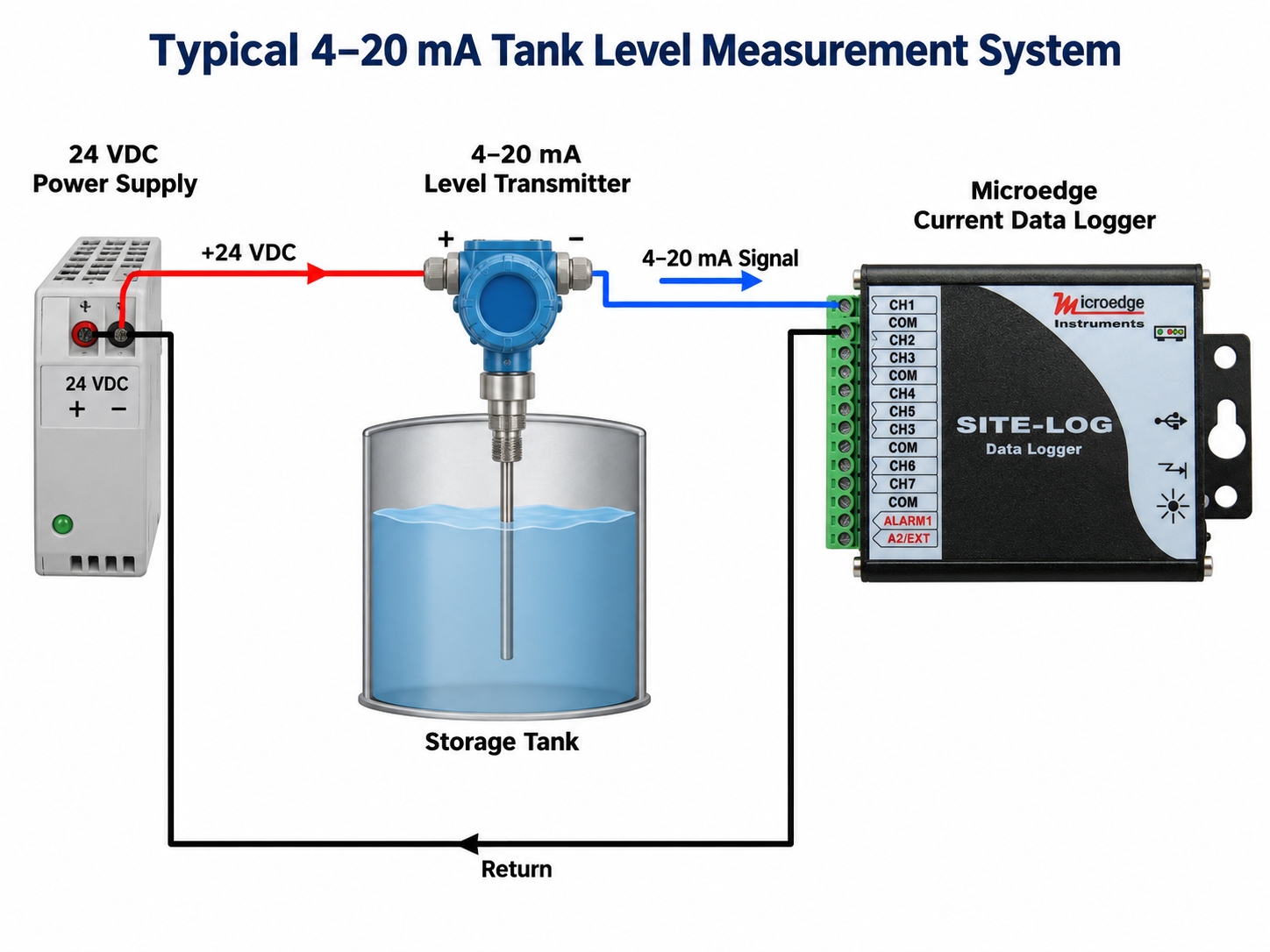
A common two-wire 4–20 mA transmitter requires an external DC power supply.
A typical loop is:
24 VDC Power Supply (+)
→ 4–20 mA Level Transmitter
→ Microedge Current Input
→ 24 VDC Power Supply (−)
The transmitter controls the loop current according to the measured level.
For example:
| Tank Level | Transmitter Output |
|---|---|
| 0% | 4 mA |
| 25% | 8 mA |
| 50% | 12 mA |
| 75% | 16 mA |
| 100% | 20 mA |
The exact wiring and required power supply should always follow the transmitter manufacturer's specifications.
Several Microedge data loggers can be used for this application.
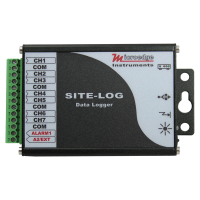
The LPCB-1 SITE-LOG provides seven current-input channels and supports both 4–20 mA and 0–50 mA measurements.
It is suitable when several tanks or multiple current-output sensors need to be monitored from one data logger.
For network access, LPCB-1 can be connected to a Smart-Hub.
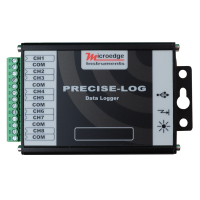
The PL-C PRECISE-LOG provides eight current-input channels.
It is suitable for multi-channel standalone or USB-connected current monitoring.
If Ethernet or network integration is required, PL-C can be connected through Smart-Hub.
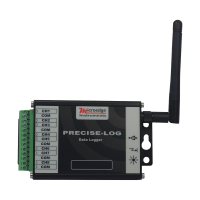
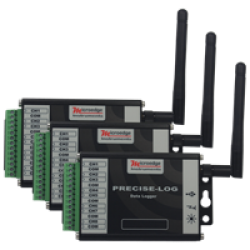
The PL-CW PRECISE-LOG also provides eight current-input channels but includes built-in WiFi.
This makes it useful where the tank monitoring location has access to a wireless network.
PL-CW can communicate directly over the network without requiring a Smart-Hub and can also support Modbus TCP integration.
The LPMB-1 SITE-LOG provides:
It is useful when a monitoring system includes a combination of 4–20 mA and voltage-output sensors.
The data logger measures electrical current, but users normally want to see the actual liquid level.
Suppose the level transmitter is configured for:
The level can be calculated using:
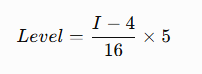
where \(I\) is the measured current in mA.
For example, at 12 mA:
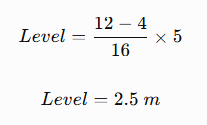
Therefore:
| Current | Level |
|---|---|
| 4 mA | 0 m |
| 8 mA | 1.25 m |
| 12 mA | 2.5 m |
| 16 mA | 3.75 m |
| 20 mA | 5 m |
Microedge SiteView supports custom equations that can convert the measured current directly into engineering units.
Instead of displaying:
12.00 mA
SiteView can display:
2.50 m
The same approach can be used to display:
If the relationship between liquid height and tank volume is linear, the conversion can be straightforward.
For tanks with non-linear geometry, a more appropriate conversion equation or calibration relationship may be required.
Sometimes the actual height is less important than the percentage of tank capacity.
For a standard 4–20 mA transmitter representing 0–100%:
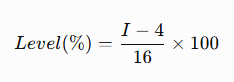
Therefore:
This provides a convenient way to display tank status.
For a nearby installation, the simplest configuration is:
Level Transmitter → Data Logger → USB → SiteView
SiteView can be used to:
This configuration is appropriate when remote network access is not required.
USB-based Microedge data loggers can be connected to a Smart-Hub for Ethernet network access.
Typical architecture:
Level Transmitter
→ LPCB-1 / PL-C / LPMB-1
→ Smart-Hub
→ Ethernet Network
Smart-Hub can provide:
The logger can therefore be accessed by Microedge software or integrated with other systems.
For example:
Tank → LPCB-1 → Smart-Hub → SiteView-Web / Pluto
This allows tank information to be viewed through a browser-based monitoring system.
Where WiFi is available, PL-CW provides a simpler network architecture:
Level Transmitter → PL-CW → WiFi Network
PL-CW can then be accessed by supported Microedge software and network applications.
For industrial integration:
Level Transmitter → PL-CW → WiFi → Modbus TCP → PLC / SCADA
This can be useful when the tank level needs to be incorporated into an existing control or supervisory system.
Using SiteView-Web or Pluto, supported remote data loggers can be monitored through a web browser.
Users can view information such as:
This allows monitoring from a PC, tablet, or smartphone connected to the appropriate network.
A typical architecture may be:
Tank Sensor → Data Logger → Network → SiteView-Web / Pluto → Web Browser
Tank-level applications commonly require attention when the liquid reaches a high or low limit.
For example:
With an appropriate Microedge monitoring configuration, thresholds can be used to identify abnormal conditions and support notification or operator response.
The specific alarm implementation depends on the data logger and software used in the system.
A multi-channel data logger can monitor several tanks at the same time.
For example, one PL-CW or PL-C provides up to eight current-input channels:
Tank 1 Transmitter → Channel 1
Tank 2 Transmitter → Channel 2
Tank 3 Transmitter → Channel 3
…
Tank 8 Transmitter → Channel 8
Each channel can use its own conversion equation based on the corresponding transmitter and tank.
This can reduce the amount of hardware required for multi-tank installations.
| Application | Suggested Configuration |
|---|---|
| One or several tanks, local monitoring | LPCB-1 + SiteView |
| Multiple 4–20 mA tanks | PL-C + SiteView |
| Wireless remote monitoring | PL-CW + WiFi |
| Mixed voltage and current sensors | LPMB-1 |
| Ethernet access to USB logger | Data Logger + Smart-Hub |
| Browser-based monitoring | SiteView-Web / Pluto |
| PLC / SCADA integration | PL-CW Modbus TCP or Smart-Hub Modbus TCP Gateway |
A 4–20 mA level transmitter combined with a Microedge current-input data logger provides a practical way to monitor tank level continuously.
The basic measurement path is:
Level Transmitter → 4–20 mA → Data Logger → Engineering-Unit Conversion → Monitoring System
For simple installations, the logger can record data locally and communicate with SiteView through USB.
For remote applications, Smart-Hub can add Ethernet connectivity to USB-based loggers, while PL-CW provides direct WiFi connectivity. SiteView-Web or Pluto can then provide browser-based monitoring, and Modbus TCP can be used where integration with PLC, HMI, or SCADA systems is required.

Leave a Comment