
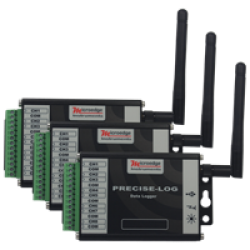

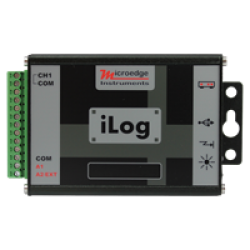
SiteView Data Logger Software
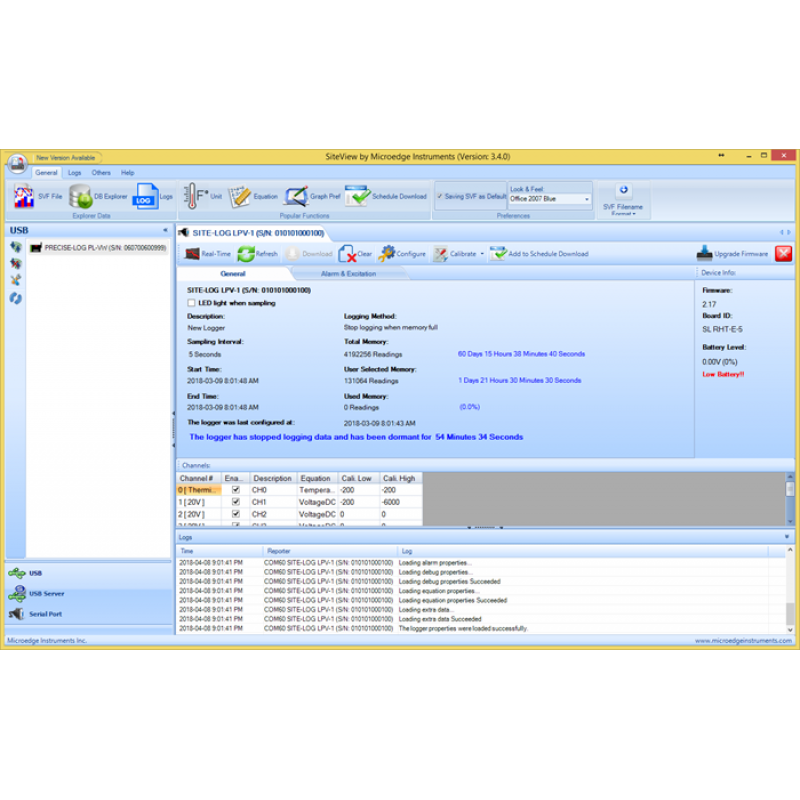
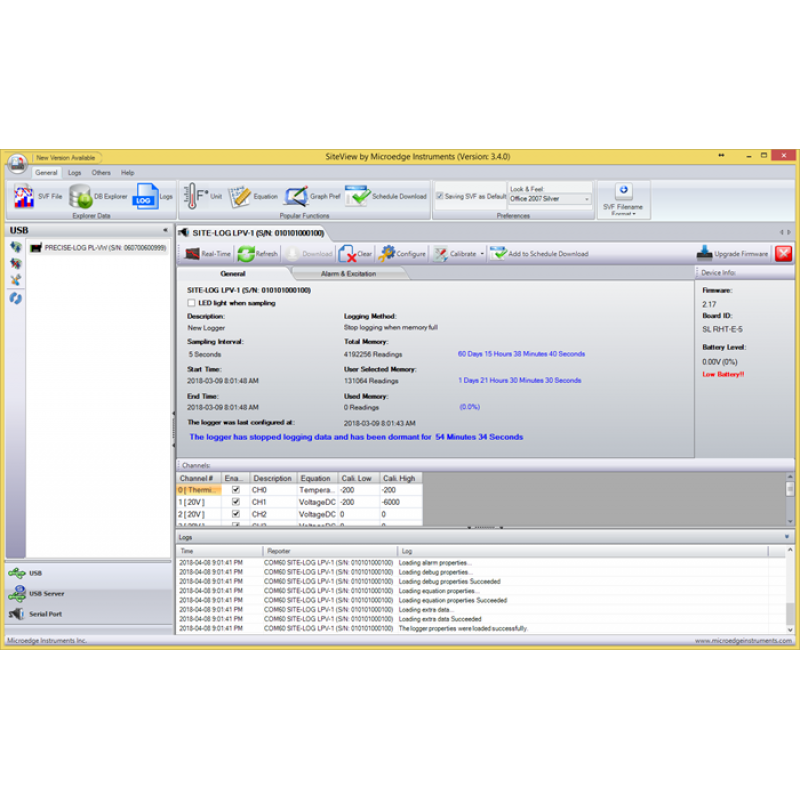
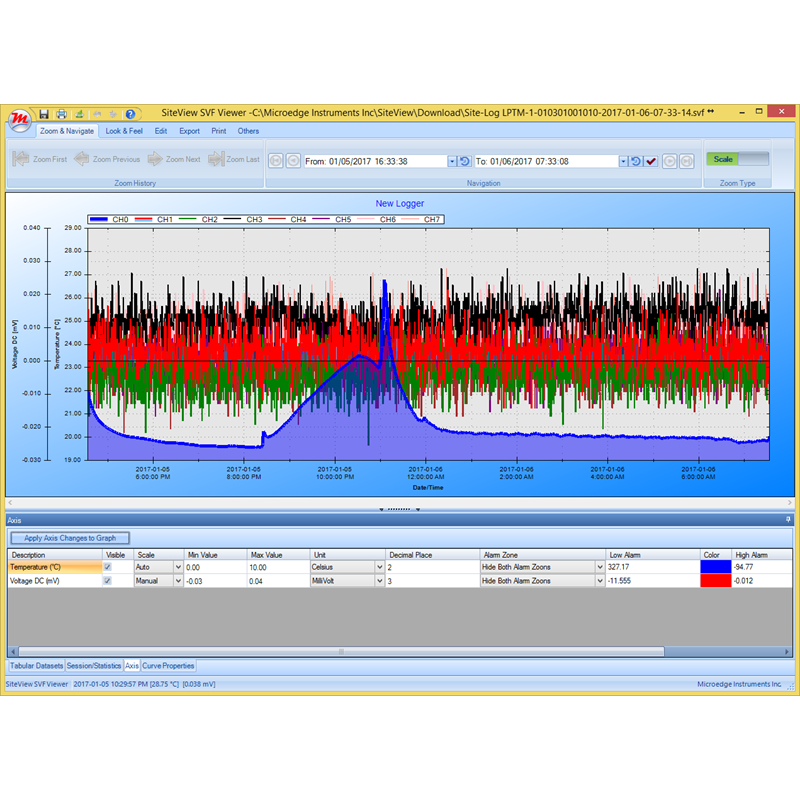
SiteView is Microedge Instruments' Windows desktop software for configuring, monitoring, downloading, analyzing, and managing supported Microedge data loggers.
It provides a single interface for working with PRECISE-LOG, SITE-LOG, and iLOG data loggers and supports both local and network-connected logging systems.
SiteView can be used for:
- Logger configuration
- Data download
- Real-time monitoring
- Graphing and analysis
- Scheduled data download
- Alarm configuration
- Custom calibration
- Custom equations
- Engineering-unit conversion
- Data export
- Multi-file comparison
- Local and remote logger access
SiteView is suitable for applications ranging from a single USB-connected data logger to multi-logger monitoring systems distributed across a local network.
Logger Configuration
SiteView provides complete configuration tools for supported Microedge data loggers.
Depending on the logger model, configurable parameters may include:
- Channel enable / disable
- Input range
- Sensor type
- Sampling interval
- Logging mode
- Immediate or delayed start
- Alarm thresholds
- Custom calibration
- Custom equations
- Engineering units
- Memory-full behavior
- Communication settings
SiteView allows a logger to be configured for a new recording session and provides status information for connected devices.
Data Download and File Management
Recorded data can be downloaded from a connected logger and stored for later analysis.
SiteView supports:
- Manual data download
- Scheduled automatic download
- SiteView data files
- Database storage
- Multiple-file loading
- Combining multiple SiteView files
- CSV and text export
Scheduled Download can automatically retrieve logger data:
- Hourly
- Daily
- Weekly
- Monthly
This is useful for long-term monitoring installations where data should be collected regularly without manually downloading each logger.
Real-Time Monitoring
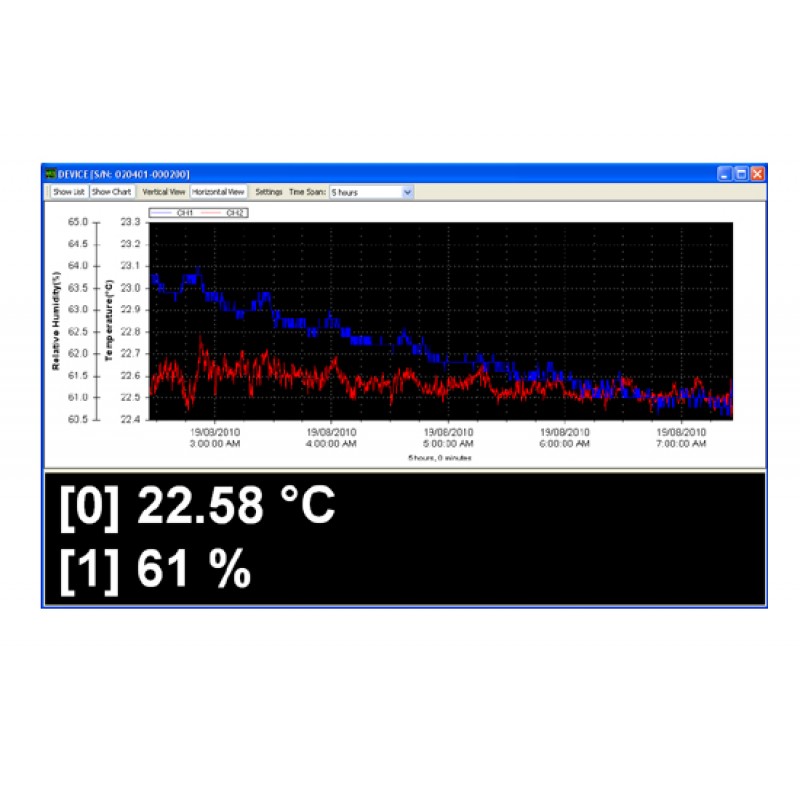
SiteView can display connected logger measurements in real time.
Real-time data can be viewed as:
- Numeric / tabular values
- Live charts
Real-time measurements can also be saved to timestamped text files for continuous recording and later analysis.
This makes SiteView useful for:
- Laboratory testing
- Process monitoring
- Equipment testing
- Sensor validation
- Environmental monitoring
- Troubleshooting
- Short-term real-time data acquisition
Graphing and Data Analysis
SiteView includes graphing and analysis tools for reviewing recorded and real-time measurements.
Available functions include:
- Graph view
- Tabular view
- Statistics
- Axis configuration
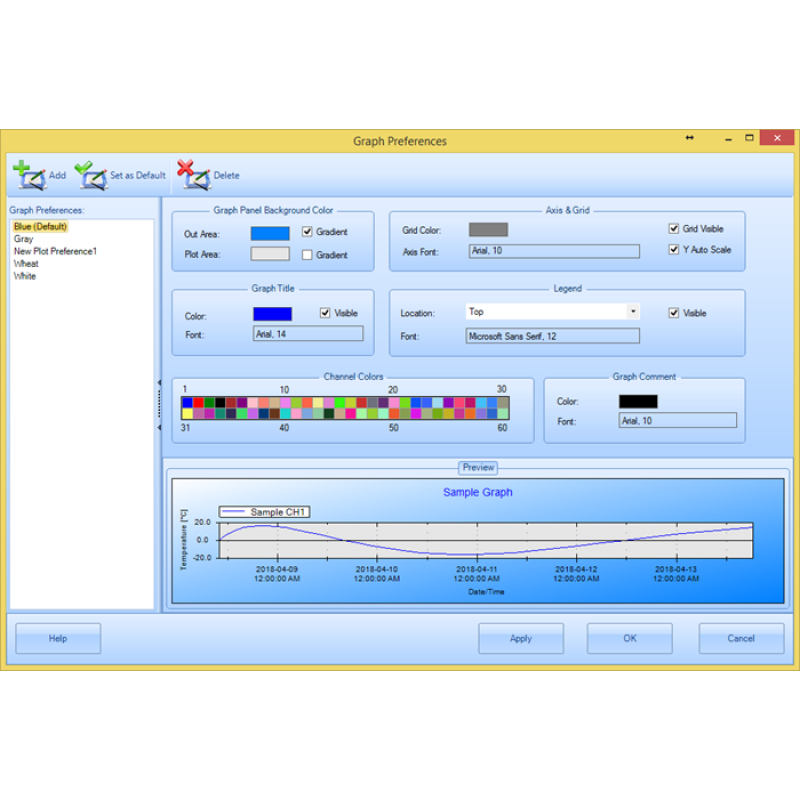
- Line configuration
- View-property settings
- Zoom in / zoom out
- Scale zoom
- Box zoom
- Time-span zoom
- Graph labels
- Line annotations
- Dynamic statistics
Multiple SiteView data files can be loaded into the same viewport, allowing measurements from different recording sessions or data loggers to be compared.
Custom Equations and Engineering Units
SiteView supports both:
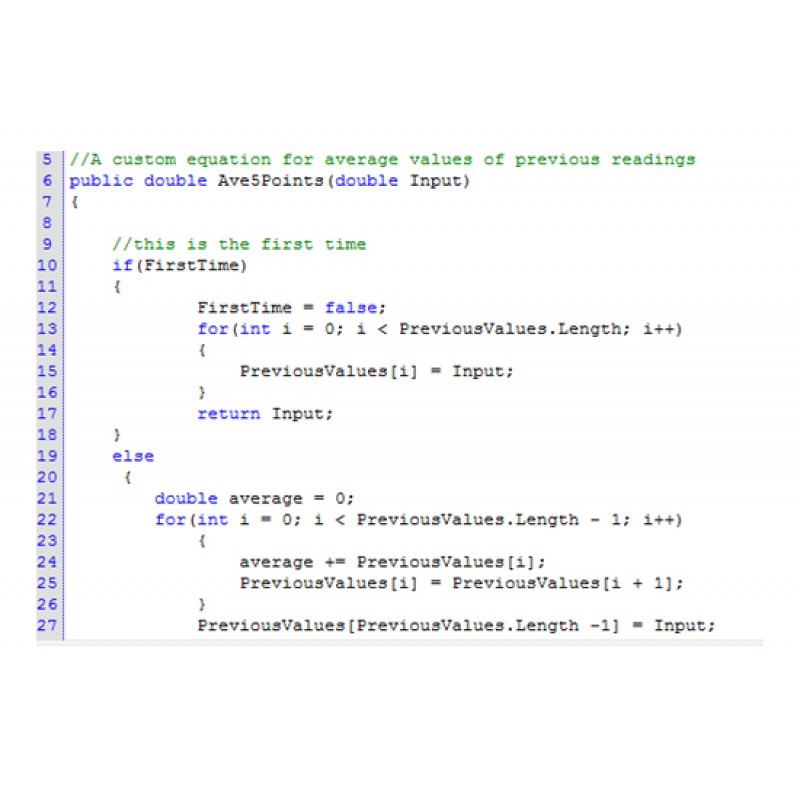
- Custom Equations
- Custom-Line Equations
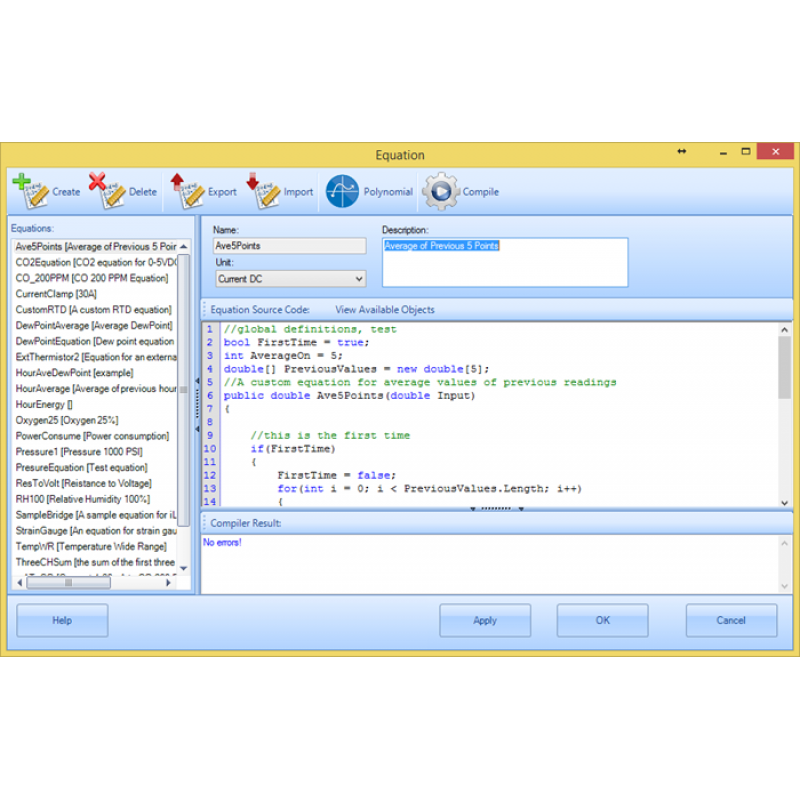
These allow raw logger measurements to be converted into application-specific engineering values.
For example, a voltage or current signal can be converted into:
- Pressure
- Flow
- Level
- Temperature
- Humidity
- Position
- Concentration
- Energy
- Other engineering quantities
SiteView also allows users to:
- Add, edit, and delete custom equations
- Add, edit, and delete custom-line equations
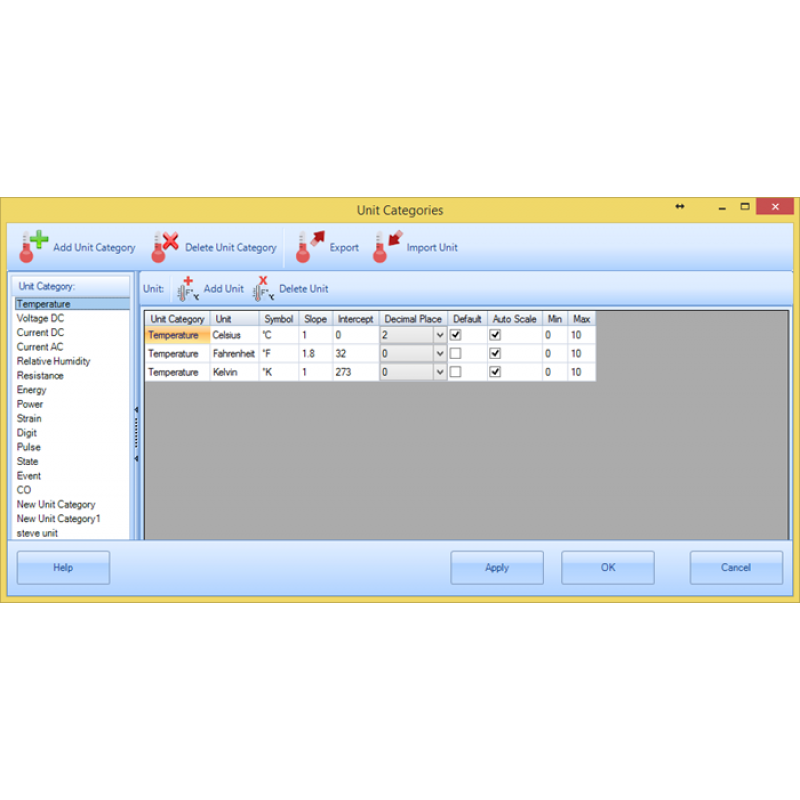
- Create units and subunits
- Import and export equation files
- Import and export unit definitions
This allows Microedge data loggers to work with a wide range of third-party sensors and transmitters.
Local USB and Serial Communication
SiteView can communicate directly with supported Microedge data loggers connected to the Windows PC.
Depending on the logger model, supported local interfaces include:
- USB
- TTL-level serial communication
Communication speed is automatically detected from:
2400 to 115200 bps
Direct USB communication is commonly used for:
- Logger configuration
- Data download
- Real-time monitoring
- Firmware and setup operations
Remote Access through Smart-Hub
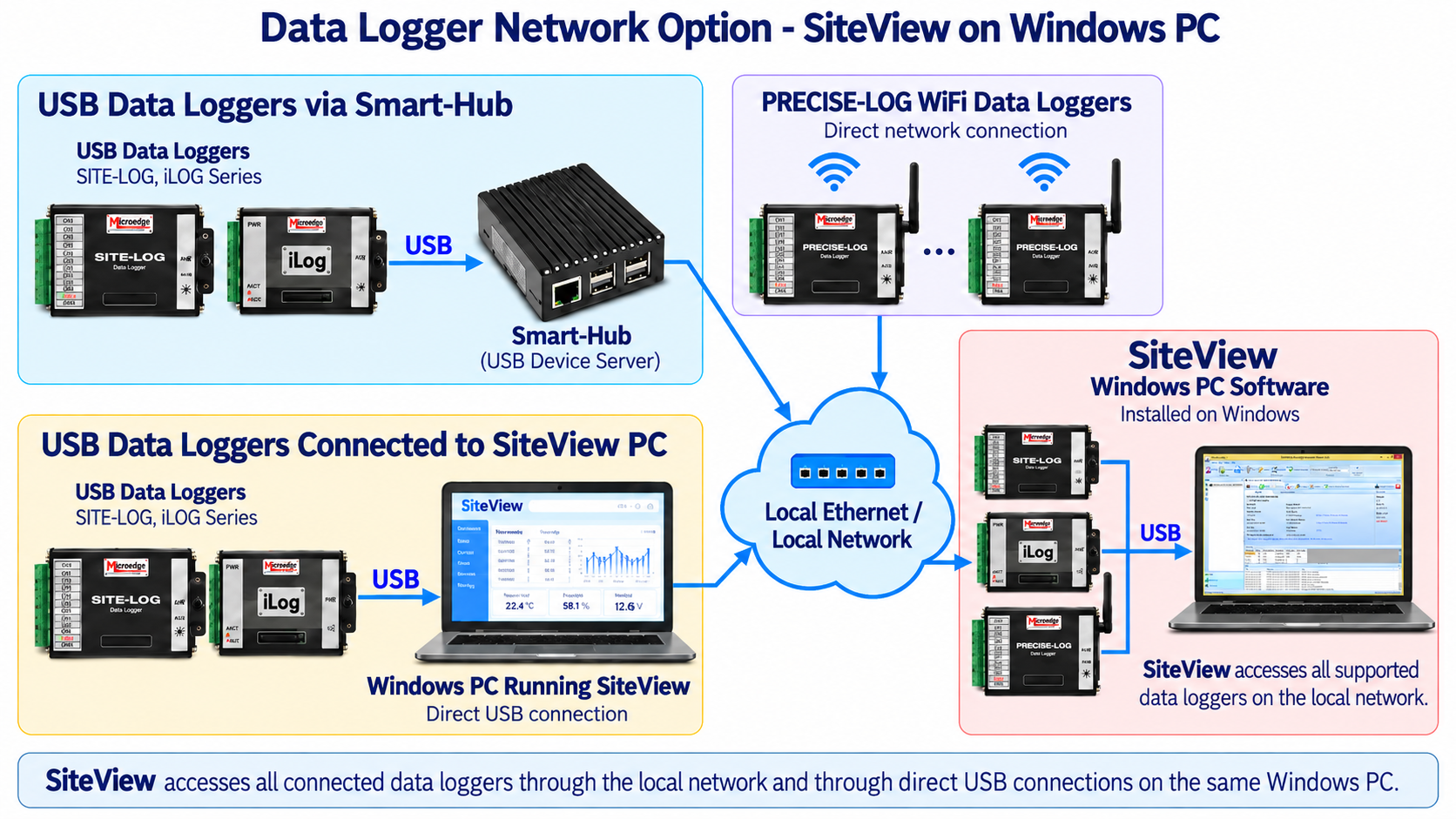
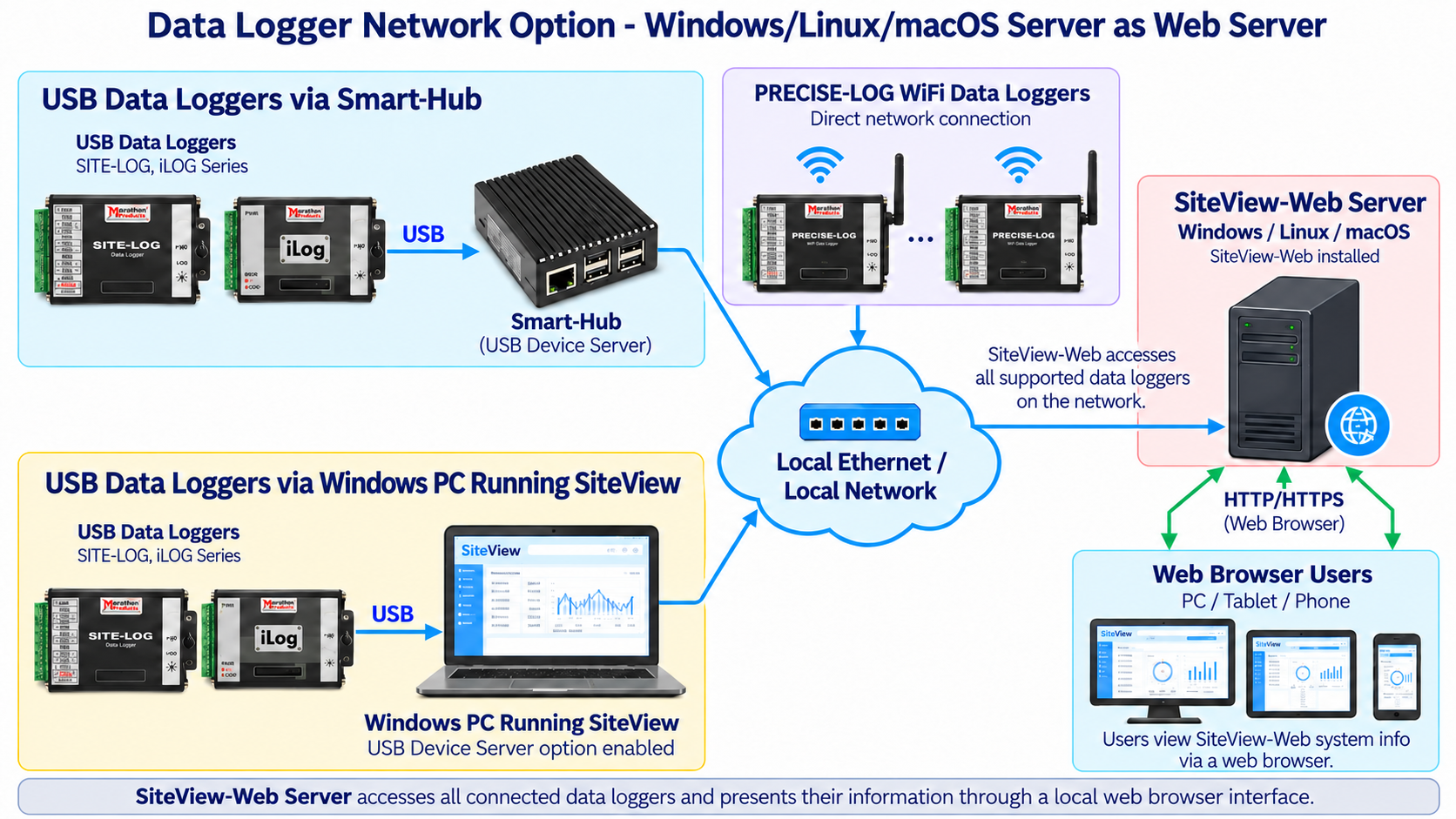
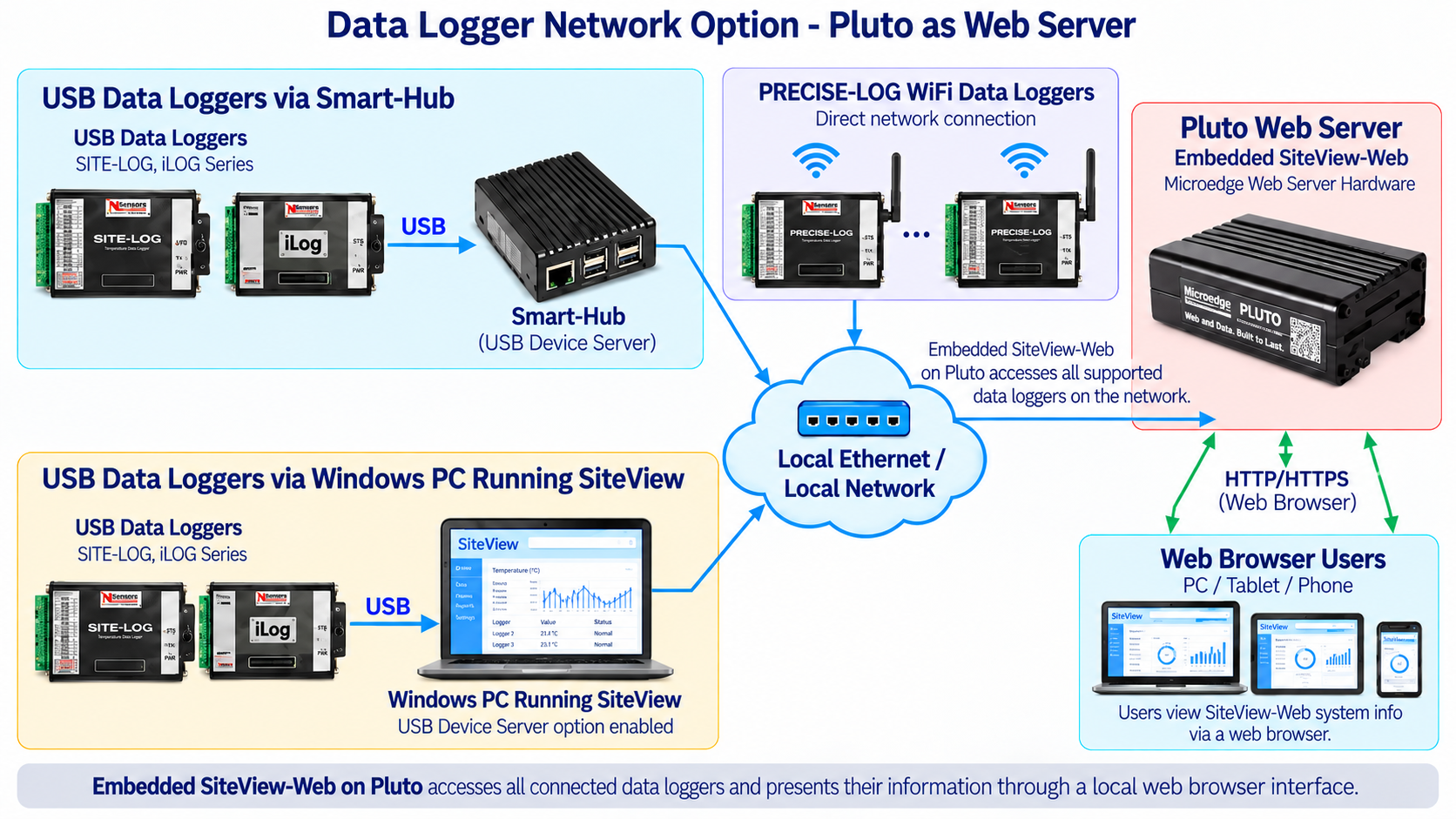
USB-based Microedge data loggers can be accessed remotely through a Microedge Smart-Hub.
The connection is:
Data Logger → USB → Smart-Hub → Ethernet Network → SiteView
Smart-Hub operates as a USB Device Server, allowing SiteView to communicate with supported USB data loggers across the local network as though they were locally connected.
This provides remote SiteView access for supported:
- SITE-LOG data loggers
- iLOG data loggers
- Non-WiFi PRECISE-LOG data loggers
Direct Access to PRECISE-LOG WiFi Data Loggers
WiFi-enabled PRECISE-LOG models can connect directly to the local network.
The connection is:
PRECISE-LOG WiFi Data Logger → WiFi → Local Network → SiteView
No Smart-Hub is required.
SiteView can therefore work with both:
- Locally connected USB data loggers
- Smart-Hub-connected USB data loggers
- PRECISE-LOG WiFi data loggers
within the same monitoring environment.
SiteView USB Device Server
SiteView can also enable a USB Device Server function on a Windows PC.
When this option is enabled, supported Microedge data loggers connected directly to that Windows PC through USB can be made available to another SiteView and SiteView-Web over the local network.
The architecture is:
USB Data Logger → Windows PC Running SiteView → Local Network → SiteView-Web Server/SiteView(on another PC)
This is useful when a logger is already connected to a Windows PC and a separate Smart-Hub is not required at that location.
It also allows a SiteView-Web/SiteView system to access:
- USB data loggers connected to SiteView Windows PCs
- USB data loggers connected through Smart-Hub
- PRECISE-LOG WiFi data loggers
within the same network architecture.
Integration with SiteView-Web
SiteView is primarily a Windows desktop application, while SiteView-Web provides browser-based monitoring through a web server.
SiteView-Web can access supported data loggers through:
- Smart-Hub
- PRECISE-LOG WiFi connections
- SiteView Windows PCs with the USB Device Server option enabled
Users can then view the SiteView-Web system from:
- Desktop computers
- Laptops
- Tablets
- Smartphones
through a standard web browser.
Data Import and Export
SiteView provides flexible import and export functions for analysis and reporting.
Supported functions include:
- Load single SiteView files
- Load multiple SiteView files into one viewport
- Combine multiple SiteView files into one file
- Export graph images
- Export tabular data
- Print graphs
- Print tabular data
- Print statistics
- Import and export equation files
- Import and export unit files
Supported graph image formats include:
- EMF
- PNG
- GIF
- JPEG
- TIFF
- BMP
Supported text export formats include:
- CSV
- TXT
Interactive Help
SiteView includes built-in help resources.
Users can access:
- Context-sensitive help using F1
- PDF help files
- Microsoft Compiled HTML Help files
KEY FEATURES
Microedge Data Logger Configuration
Configure supported PRECISE-LOG, SITE-LOG, and iLOG data loggers.Data Download
Retrieve recorded data from local or network-connected loggers.Real-Time Monitoring
Display live logger measurements in numeric or chart form.Scheduled Download
Automatically retrieve logger data hourly, daily, weekly, or monthly.Graphing and Analysis
Includes graph, tabular, statistics, zoom, labels, and annotation tools.Multiple-File Comparison
Load multiple SiteView files into a single viewport for comparison.Custom Equations
Convert raw measurements into application-specific engineering values.Custom-Line Equations
Apply line-based calculations to recorded data.Custom Units and Subunits
USB Communication
TTL-Level Serial Communication
Ethernet / Network Access
Smart-Hub Support
Access supported USB data loggers remotely through Smart-Hub.Direct PRECISE-LOG WiFi Access
SiteView USB Device Server
Makes supported USB data loggers attached to a Windows PC accessible to SiteView-Web.Data Export
Export graphs to common image formats and measurement data to CSV or TXT.Interactive Help
TYPICAL APPLICATIONS
SiteView is suitable for:
- Data logger configuration
- Laboratory testing
- Industrial monitoring
- Environmental monitoring
- Sensor testing
- Equipment validation
- Product testing
- Research
- Manufacturing monitoring
- Long-term data collection
- Real-time data acquisition
- Scheduled logger data backup
- Multi-logger monitoring
- Remote logger access
- Engineering-unit conversion
- Data analysis and reporting
SOFTWARE WORKFLOW
A typical SiteView workflow is:
1. Connect the data logger
Connect through:
- USB
- Supported TTL-level serial communication
- Smart-Hub over Ethernet
- Direct PRECISE-LOG WiFi connection
2. Configure the logger
Set:
- Channels
- Input ranges
- Sensor types
- Sampling interval
- Logging mode
- Alarm thresholds
- Equations
- Units
3. Start recording
Use immediate, delayed, or other supported start modes depending on the logger.
4. Monitor or download data
View measurements in real time or download stored logger data.
5. Analyze measurements
Use graphs, statistics, zoom, annotations, equations, and multi-file comparison.
6. Export results
Save or export data to common file and image formats for further processing or reporting.
Documents:
Please note this product is downloadable version. After the purchase and approved, you can find the download link in 'Downloads' area of your account.
| General | |
|---|---|
| Product Name | SiteView |
| Model | SSV-1 |
| Software Type | Windows desktop data logger software |
| Supported Logger Families | PRECISE-LOG, SITE-LOG, iLOG |
| Logger Communication | |
| USB | Supported |
| Serial Communication | Supported |
| Ethernet / Network | Supported |
| PRECISE-LOG WiFi | Direct network access supported |
| Logger Interaction | |
| Status View | View status of connected data loggers |
| Configuration | Configure supported loggers for new recording sessions |
| Real-Time View | Monitor measurements in list or chart view |
| Real-Time File Recording | Optionally save live data to timestamped text files |
| Scheduled Download | Automatically download logger data hourly, daily, weekly, or monthly |
| Download Data | Save downloaded measurements to SiteView files or the system database |
| Graphing And Analysis | |
| Views | Tabular, graph, and statistics views |
| Graph Configuration | Configure axes, lines, and view properties |
| Zoom | Zoom in/out, scale zoom, box zoom, and time-span zoom |
| Labels and Annotations | Add, edit, or remove graph labels and line annotations |
| Multiple File Loading | Load multiple SiteView files into one viewport |
| Dynamic Statistics | Display statistics for the currently selected or zoomed data range |
| Measurement Conversion | |
| Custom Equation | Add, edit, and delete custom equations |
| Custom-Line Equation | Add, edit, and delete custom-line equations |
| Unit and Subunits | Add, edit, and remove engineering units and subunits |
| Equation Import/Export | Import and export equation files |
| Unit Import/Export | Import and export unit files |
| Data Import and Export | |
| SiteView Files | Load single or multiple SiteView files |
| Combine Files | Save multiple SiteView files into a single SiteView file |
| Graph Export | EMF, PNG, GIF, JPEG, TIFF, BMP |
| Text Export | CSV, TXT |
| Printing | Graphs, tabular data, statistics |
| System Requirements | |
| Operating System | Microsoft Windows 8, 10, 11 |
| Processor | 1.0 GHz or faster |
| Memory | 1 GB RAM or higher recommended |
| Storage | 10 GB available storage or higher recommended |
| USB | At least one available USB port for direct logger connection |
| Network | Ethernet or WiFi network connection when accessing remote data loggers |
| Help | |
| Interactive Help | Related help topic is displayed with hot key (F1) pressing. |
| Help Files | Portable Document Format(.PDF) Microsoft Compiled HTML Help(.CHM) |
Resources:
SiteView SDK – Software Development Kit for Microedge Data Loggers
SiteView SDK is a .NET software development kit that allows developers to integrate supported Microe..
 2-3 Days
DSP-1 Site USB Device Server Pro
Out of Stock! Please use the alternative product:SMART-HUBSite USB Device Server Pro (DSP-1) is a US..
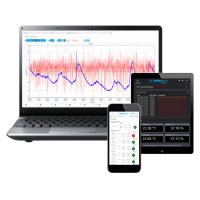
SiteView-Web Remote Data Logger Monitoring Software
SiteView-Web is Microedge Instruments' web-server software for remote monitoring, automatic data col..
 2-3 Days
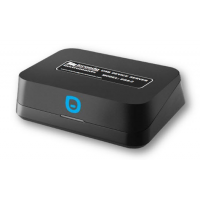
DSS-2 Site USB Device Server
Discontinued!Please use the alternative product:SMART-HUBIn the application where a data logger is i..
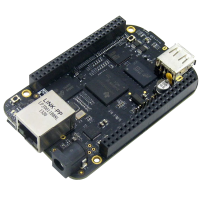
DSI-1 Site USB Device Server Industrial
Site USB Device Server Industrial (DSI-1) is a USB-over Ethernet device server that allows Microedge..
 2-3 Days
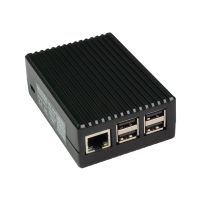
DSP-2C Site USB Device Server Pro
Out of Stock! Please use the alternative product:SMART-HUB The Site USB Device Server Pro (DSP-2C) ..
SMART-HUB
Smart-Hub is a compact network communication gateway that allows supported Microedge USB data logger..